MiniMax H3 Reference to Video: Images, Clips and Audio in One Job
How MiniMax H3 reference to video uses images, clips and audio: the limits, what a reference clip costs, and how long our own test runs took.
 MiniMaxH3AI
Short answer: MiniMax H3 reference to video takes your text prompt plus up to 9 images, 3 video clips and 3 audio files, and makes a new 4 to 15 second clip from them. Images fix what things look like, a clip lends its camera move and timing, and audio sets the beat or the voice. Give each file one job and name that job in the prompt. Audio can't be the only reference. A reference clip is billed by its length, and it does not edit your footage. You always get a new shot.
Most pages that rank for this are platform help pages, and their numbers differ because the platforms differ: one describes H3 Max with 5 images, few say what a reference clip costs or how long a job takes. Below are the limits on WaveSpeed, the platform MiniMaxH3AI uses, as of November 11, 2026, and two reference jobs we ran there that day. Our timings are single runs, not a benchmark.
What each kind of reference does
| Input | How many | What it is for | Cost on MiniMaxH3AI |
|---|---|---|---|
| Reference images | Up to 9 | A character, a place, a prop or a style to keep | First 5 free, then 10 credits each |
| Reference videos | Up to 3 | Camera move, pacing, motion | Billed per second at the output rate; each clip counts as at least 2 s, all clips together 15 s at most |
| Reference audio | Up to 3 | A beat to move to, a voice timbre, a music style | Free, but needs at least one image or clip beside it |
Sources: WaveSpeed's reference-to-video page for the limits and billing, and the MiniMax H3 model card for what each input type is meant to do.
The output is the same as any other H3 clip: 4 to 15 whole seconds, 768p or 2K, and a sound track rendered with the picture. Reference mode on WaveSpeed takes 21:9, 16:9, 4:3, 1:1, 3:4 or 9:16. It has no "adaptive" ratio, so pick the shape yourself.
How to make a reference video, step by step
- Pick a job for each file. "Image 1 is the robot", "the clip is the camera move", "the audio is the beat". MiniMax's own reference prompt guide labels assets as
<Picture N>,<Video N>,<Audio N>and<Subject N>and states what each one contributes. A short prompt can do the same in plain words. - Upload them in the composer. Open the home page, choose MiniMax H3, and add your files with the + button (or the Reference tile). On MiniMaxH3AI, three or more pictures, any clip, or any sound file send the job to reference to video. Two pictures ask you to choose between Use as reference and First & last frame.
- Write the prompt around the roles. Say what to keep from each file, then describe the new scene, one main action and one camera move. You can point at files as
@Image 1,@Video 1or@Audio 1, or say "the first image" and "the reference video", as we did below. - Choose length, size and shape. 4 seconds at 768p is the cheapest test. Keep 2K for the take you will publish.
- Check the price on the button, then generate. The total already includes the reference seconds and any pictures past the fifth.
Test 1: borrowing the camera move of a 2-second clip
We cut the first two seconds from our own 2K night-market clip, a slow dolly forward between food stalls in the rain, and used it as the only reference.
The prompt asked for the same move in a different place. MiniMax H3 returned this 4-second 21:9 clip at 768p in 182 seconds:
The camera pushes forward at a walking pace, like the market dolly. Nothing from the market came across: no stalls, no people, no rain. That is what you want from a motion reference. With sound on you hear the snow and wind the prompt asked for.
Use the slow forward dolly camera move of the reference video, but in a new place: a quiet snowy forest path at night lined with small glowing lanterns, snowflakes drifting through the light, a red fox trotting ahead along the path. Soundtrack: soft crunch of snow, wind in the pines. Cinematic, shallow depth of field. No text, no logos.
试试这个提示词The button fills in the prompt, ratio and size. Attach a clip of your own and set the length to 4 seconds before you generate; without a clip the prompt runs as plain text to video. The same example in the home page gallery loads with our 2-second clip attached.
What it cost: 4 output seconds at 20 credits plus 2 reference seconds at 20 credits, so 120 credits. On WaveSpeed's list prices that is $0.40 for the output plus $0.20 for the reference. Our clip was 1.96 seconds long and was billed as 2: anything shorter than 2 seconds still counts as 2, and longer clips round up to the next whole second.
Test 2: three pictures and a drum loop
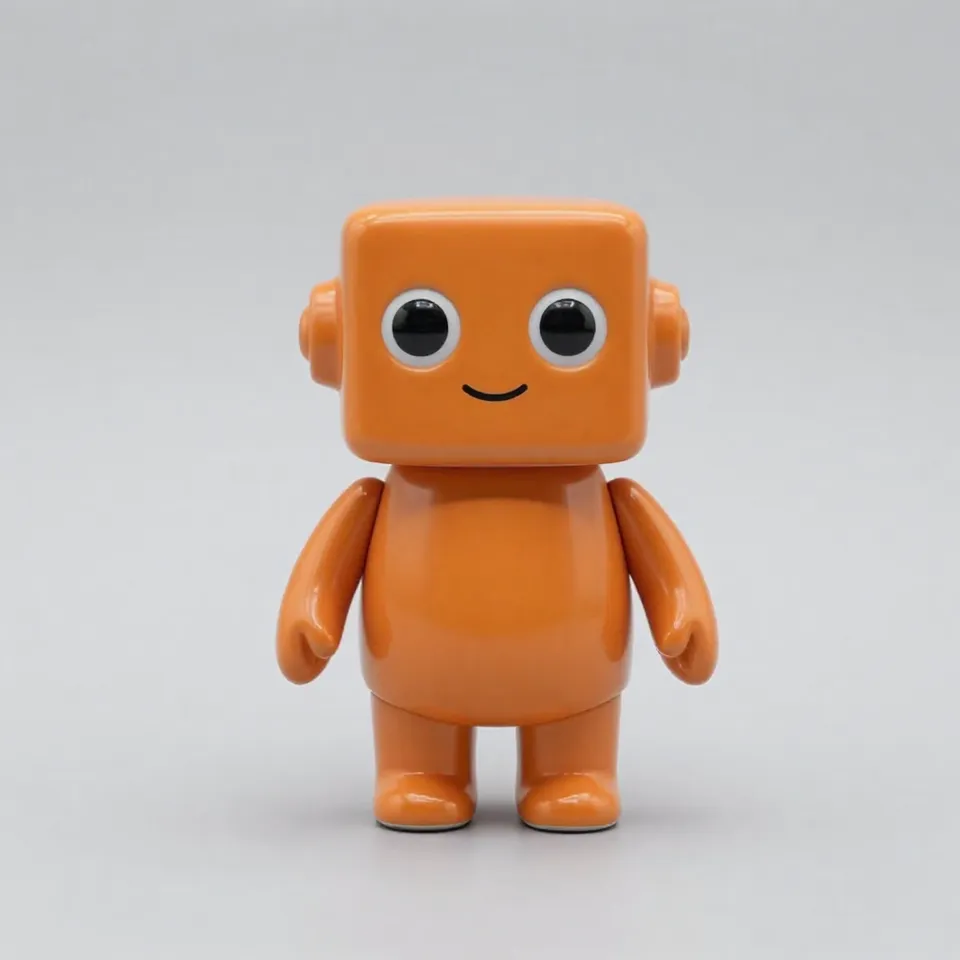
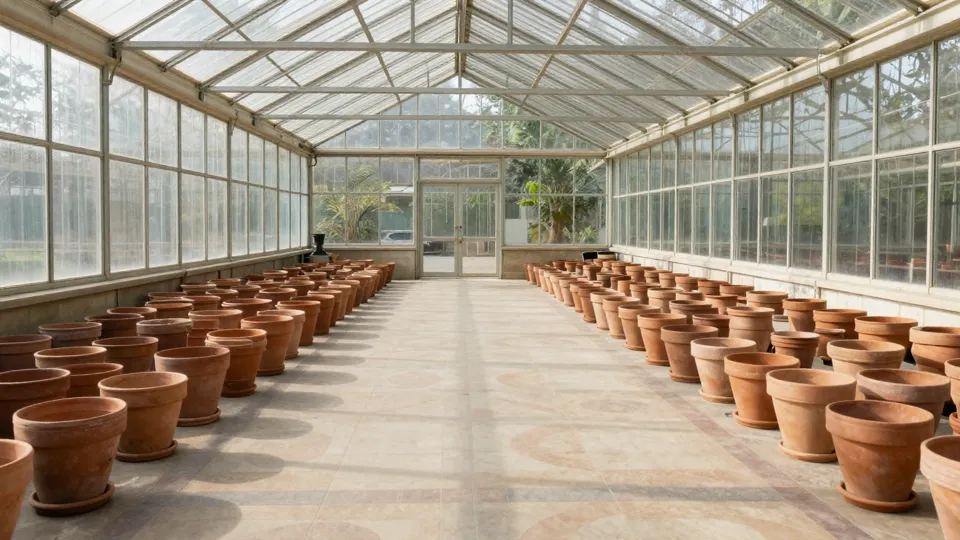
The second job had no clip. It got three pictures made for this site, a small orange ceramic robot, a sunlit greenhouse and a yellow watering can, plus a 6-second drum loop.
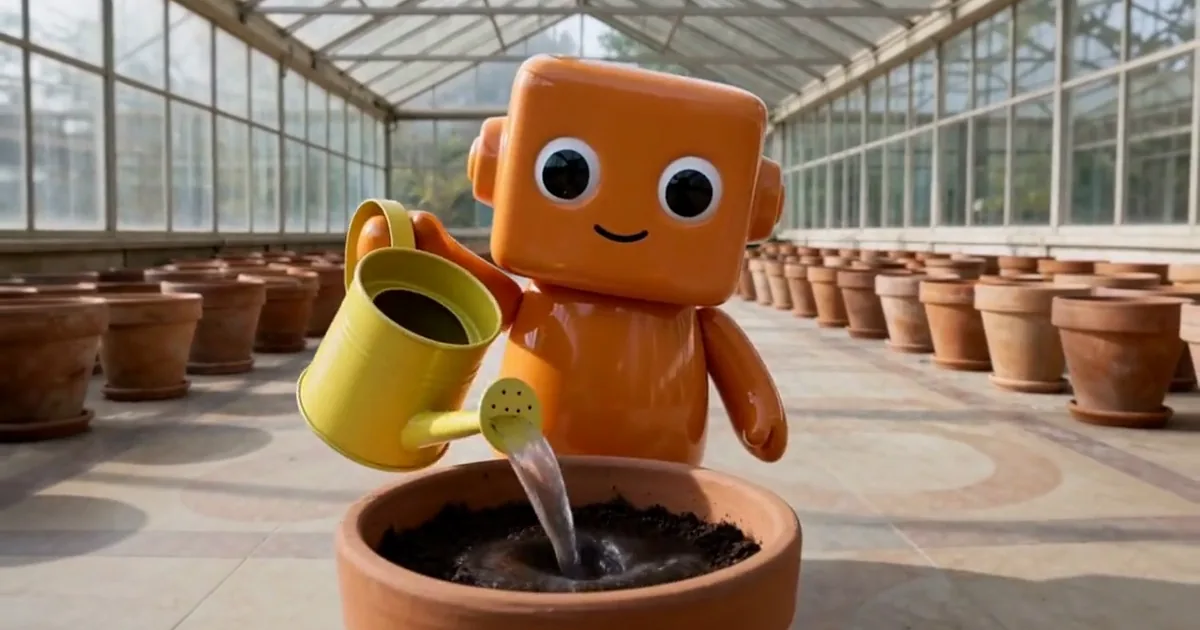
The 16:9 clip, 4 seconds at 768p, came back in 180 seconds:
The robot keeps its square head, round eyes and orange glaze, the pots and glass roof come from the greenhouse picture, and the can is the same yellow can. Whether the pour lands on the beat is for your ears to judge, so play it with sound.
The little orange ceramic robot from the first image walks between the terracotta pots in the sunlit greenhouse from the second image, carrying the yellow watering can from the third image, and waters a pot in time with the beat of the reference audio, bobbing its head to the rhythm. Warm morning light, gentle handheld camera following the robot. No text, no logos.
试试这个提示词What it cost: 80 credits, the price of 4 seconds at 768p. Three pictures are under the five free ones and the audio is free. On WaveSpeed that is $0.40.
How long reference jobs take
All five of our test jobs on November 11, 2026 ran on WaveSpeed, and every one came back with sound:
| Job | Settings | Time |
|---|---|---|
| First and last frame (winter to spring cabin) | 4 s, 768p | 131 s |
| One image to video (terrarium snail) | 4 s, 768p | 143 s |
| Text to video (night market) | 4 s, 2K, 21:9 | 165 s |
| Three images plus reference audio | 4 s, 768p | 180 s |
| One 2-second reference clip | 4 s, 768p, 21:9 | 182 s |
The two reference jobs were the slowest, though one run each is not enough to call that a rule. Plan on around three minutes for a short 768p reference job and longer for 2K. WaveSpeed's page does not publish a typical wait for reference mode.
Limits worth knowing first
- It does not edit your footage. MiniMax says H3 can replace or remove things in a video, but WaveSpeed has no edit endpoint for H3. On MiniMaxH3AI an uploaded clip is always a reference, and the result is a new shot.
- No first or last frame in the same job. Reference mode takes references only. To pin the opening and closing picture, use the separate First & last frame route with two images. Scenario's guide states the same rule.
- Audio needs company. A sound file on its own is refused; add at least one picture or clip.
- Long reference clips cost real money. At 2K, a full 15 seconds of reference plus 15 seconds of output is 840 credits. Trim the clip to the part whose movement you want.
- No seed. You can't reproduce a take exactly, so save the ones you like.
- More files is not better. Keep each file to one role and each shot to one main action.
- Moderation. MiniMax says its filters check prompts, images, videos and audio and "cannot eliminate false positives". Expect an occasional refusal. On MiniMaxH3AI, credits for a job that fails or is refused upstream are returned.
FAQ
How do I use MiniMax H3 reference to video?
Attach your pictures, clips or sound files, say in the prompt what each one is for, pick length, size and shape, and generate. On MiniMaxH3AI, three or more pictures, a clip or an audio file route the job to reference mode.
Can MiniMax H3 use a video as a reference?
Yes, up to 3 clips. Each counts as at least 2 seconds and all of them together as at most 15. The clip guides camera, pacing and motion; its subjects don't carry over unless you ask for them.
Can MiniMax H3 clone a voice?
MiniMax says reference audio can set the voice timbre, and its model card shows a case where the "voice timbre follows reference audio 1". We have not tested voice matching ourselves. Only use recordings of a voice you have the rights to.
Can MiniMax H3 edit videos?
MiniMax says the model can, but not through WaveSpeed today, so not on MiniMaxH3AI. Uploads are references, never edited in place.
Is MiniMax H3 reference to video free?
No. The cheapest reference job, 4 seconds at 768p with images or audio only, is 80 credits. A new account gets 10 credits, which does not cover a video.
What is the difference between first and last frame and reference to video?
First and last frame fixes the exact opening and closing image. Reference to video keeps characters, places and moves from your files but composes a new shot. One job can't do both.
MiniMaxH3AI is an independent site that runs MiniMax H3 through WaveSpeed. It is not operated or endorsed by MiniMax. Read MiniMax's H3 announcement and its platform documentation for the vendor's own description.